



Creating a professional CV for the first time can feel like one of the hardest parts of looking for a job. Many job seekers in South Africa do not have access to Microsoft Word, do not know how to format a CV correctly, or are simply not sure what to include. The result is often a CV that does not represent them well and that costs them opportunities.
Nasi iSPani’s built-in CV maker changes that. It is a free, mobile-friendly tool designed specifically for South African job seekers that guides you through every section of your CV step by step. No design skills required. No expensive software. Just a professional, ready-to-download CV built directly from your phone.
This guide will show you exactly how to use the Nasi iSPani CV maker, share professional CV tips to help you stand out, and help you avoid the common mistakes that hold most job seekers back.
Why a Professional CV Matters
Your CV is the first thing an employer sees. Before they meet you, before they hear your voice, they read your CV and they form an opinion in seconds. A well-formatted, clearly written CV tells an employer that you are serious, organised, and ready to work.
Here is why the quality of your CV matters so much:
- First impressions count. A messy or poorly formatted CV can get rejected before it is even read properly
- Formatting affects readability. Employers and HR teams often review dozens of applications at once. A clean, easy-to-scan layout increases your chances of being noticed
- ATS compatibility matters. Many companies use Applicant Tracking Systems (ATS) — software that scans CVs before a human ever sees them. Simple, structured formatting helps your CV pass through these systems
- Templates improve professionalism. Using a ready-made CV template ensures your layout looks consistent and polished, even if you have never designed a document before
How to Build Your CV Using Nasi iSPani
Step 1: Log Into Your Account and Access the CV Maker
- Go to nasi-ispani.co.za and log in to your account.
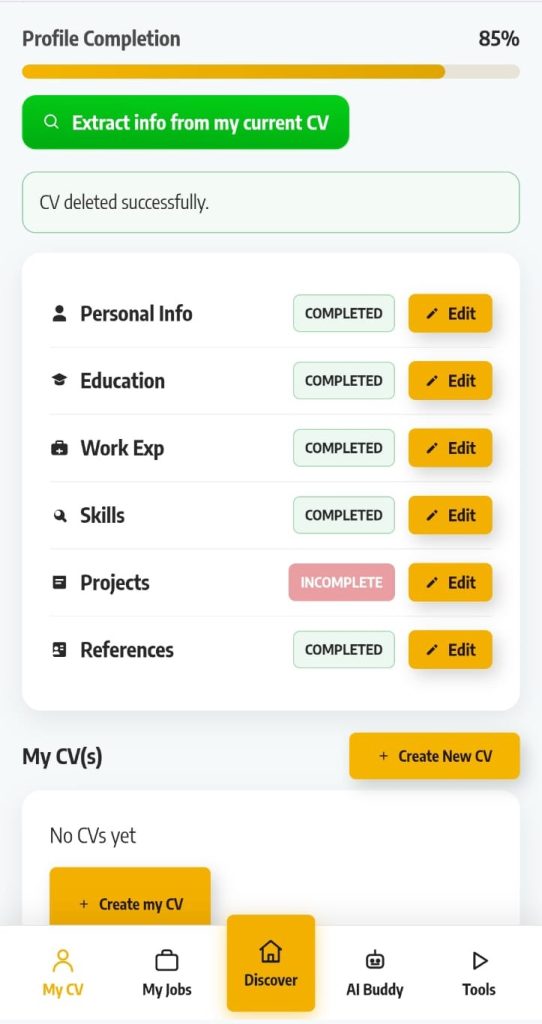
- From the bottom navigation bar, tap My CV.
- This will take you to your profile page, where you can see:
- Profile Completion percentage
- All six sections of your CV
- This will take you to your profile page, where you can see:
- If your completion bar is not at 100%, that’s okay, you will fill in each section as you go through the steps below.
- Tip: Use the green “Extract info from my current CV” button if you already have a CV saved on your phone.
- The platform will automatically pull your details and pre-fill your profile, saving you time.
Step 2: Choose a CV Template
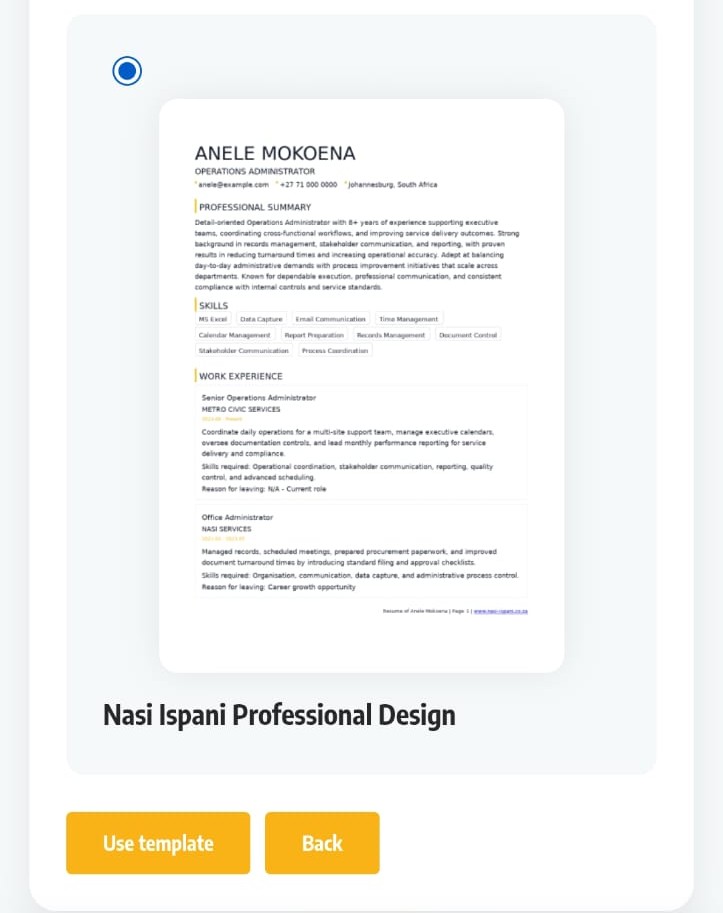
- Once your profile is complete, tap “Create my CV” or “Create New CV” to enter the CV builder.
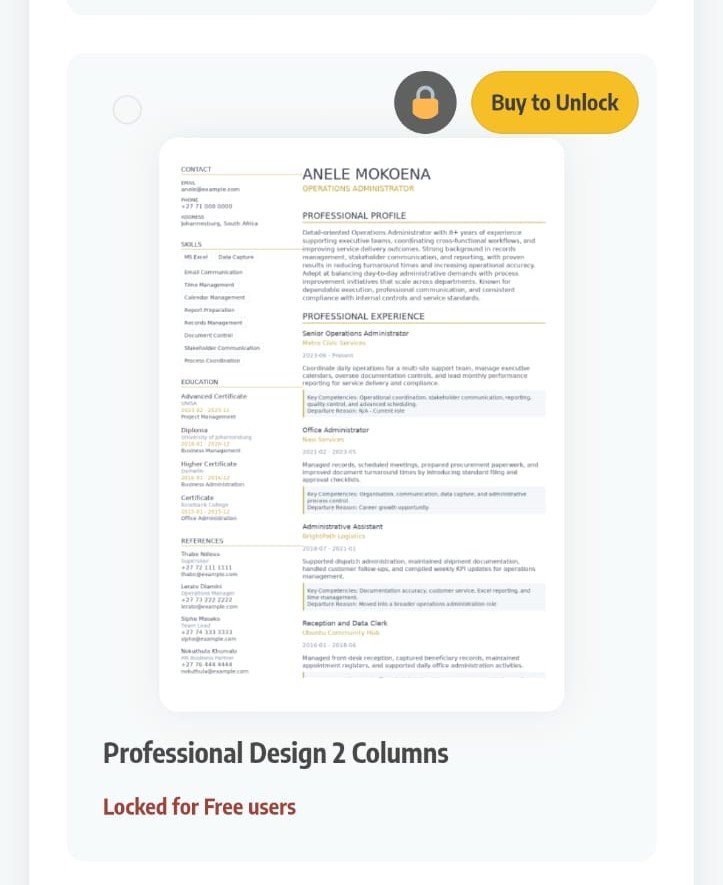
- Choose from a selection of CV templates designed for South African job seekers.
- Select a template based on the type of position you’re applying for:
- Clean and simple layouts → Best for entry-level, general worker, and retail positions.
- Structured layouts → Suitable for graduates, administrative roles, and professional positions.
- Unlock all templates by purchasing the New CV add-on (R49 once-off).
- Tip: For your first job or general positions, choose the simplest and clearest template. Employers value readability over fancy design.
Step 3: Enter Your Personal Information
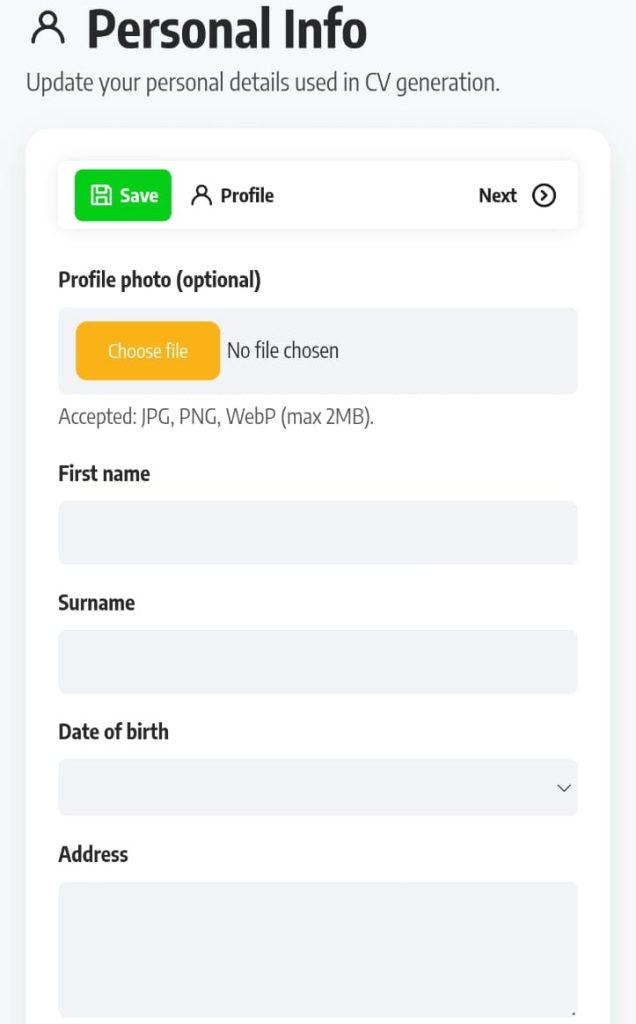
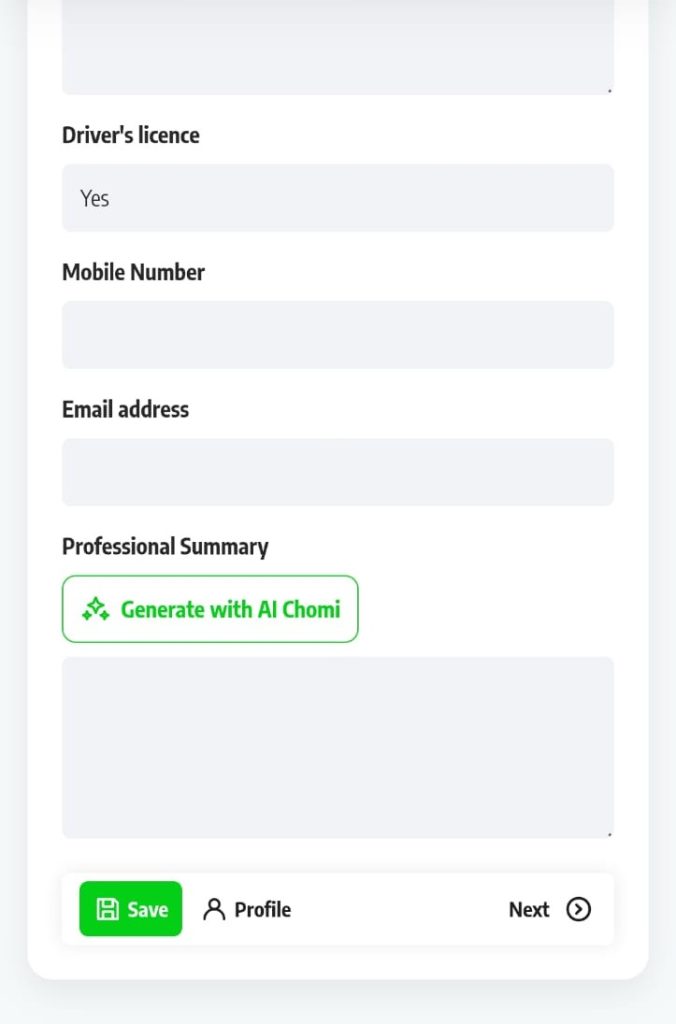
The first section of your CV is your Personal Info. Fill in:
- Your full name
- Your contact number
- Your email address
- Your location (city or town and province)
This information must be accurate. If an employer cannot reach you, you will miss the opportunity even if your CV is selected.
Tip: Use a professional email address, ideally your name, for example firstname.lastname@gmail.com. An unprofessional email address like “partygirl99” or “coolkid2005” creates a poor first impression.
Step 4: Add Your Education
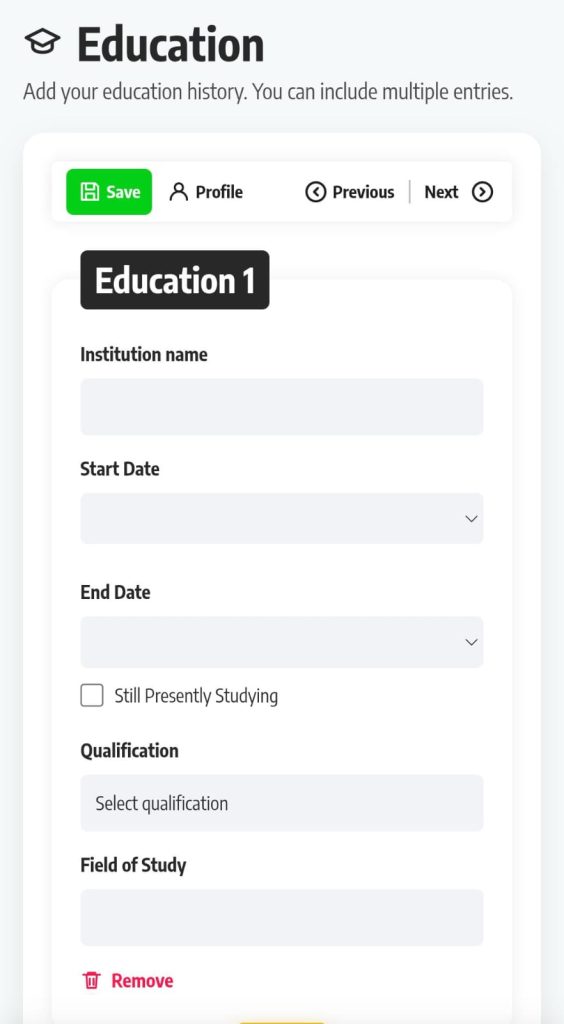
In the Education section, list your highest qualifications first. Include:
- The name of your school, college, or university
- The qualification or certificate you completed
- The year you completed it
If you have completed matric, a TVET qualification, or a university degree, make sure it is clearly listed. If you are still studying, note the expected completion year.
Tip: Do not leave this section blank even if you did not complete matric. List the highest grade you completed — any education history is better than none.
Step 5: Add Your Work Experience
The Work Experience section is where many first-time job seekers feel stuck. But you do not need formal employment history to complete this section well.
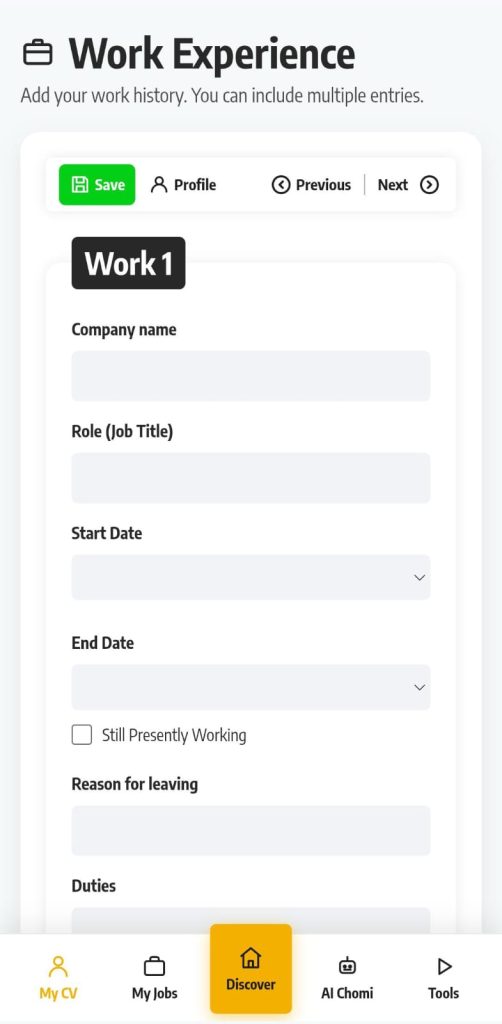
If you have work experience, include:
- The name of the employer
- Your job title
- The dates you worked there
- Two or three bullet points describing your key responsibilities
If you have no formal work experience, consider listing:
- Volunteer work — community projects, church activities, school events
- Part-time or casual work — piece jobs, domestic work, helping at a family business
- School leadership roles — prefect, sports captain, class representative
- Learnerships or internships you have completed
Tip: Even unpaid or informal experience shows an employer that you are active, responsible, and willing to work. Do not leave this section empty.
Step 6: Add Your Skills
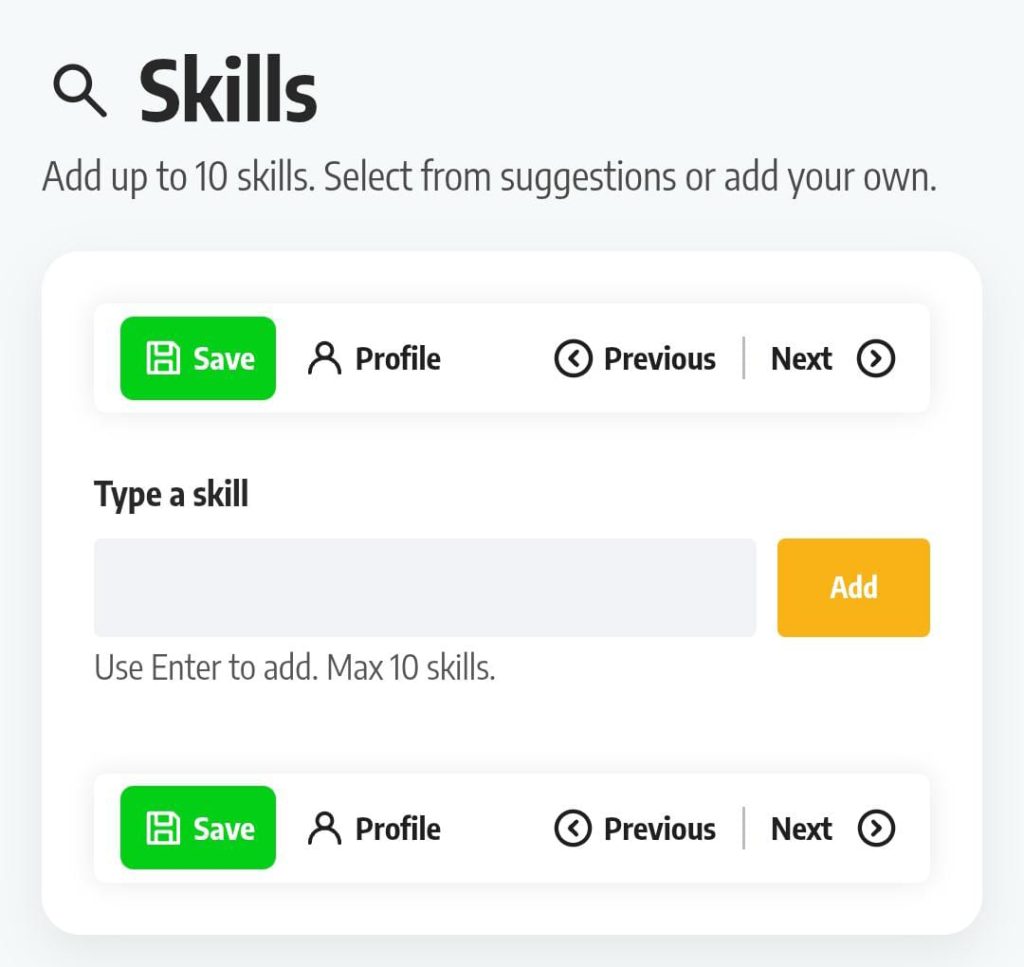
The Skills section is one of the most important parts of your CV — and often underused. Include a combination of:
1. Soft Skills (personality and work style)
- Communication
- Teamwork
- Time management
- Problem-solving
- Attention to detail
2. Technical or Hard Skills (specific abilities)
- Computer literacy (Microsoft Word, Excel, email)
- Cash handling
- Driving licence (and code)
- Customer service
- Data capturing
3. Language Proficiency
- List all languages you speak and your level, e.g.:
- Zulu (fluent)
- English (fluent)
- Afrikaans (basic)
Tip: Only list skills you actually have. If an employer tests a skill you listed and you can’t demonstrate it, it may reflect poorly on your character.
Step 7: Add Projects and References
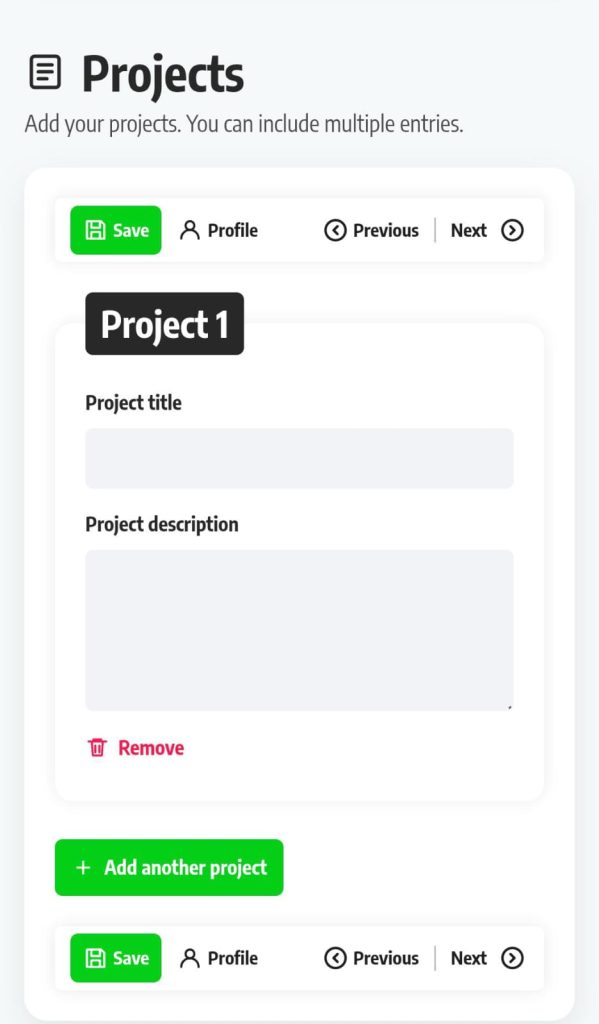
Projects (Optional but Valuable):
- Highlight notable achievements, school projects, community work, or personal accomplishments.
- Adding projects can help increase your Profile Completion score.
- Tip: Use this section to showcase initiative and relevant experience, even if it’s not paid work.
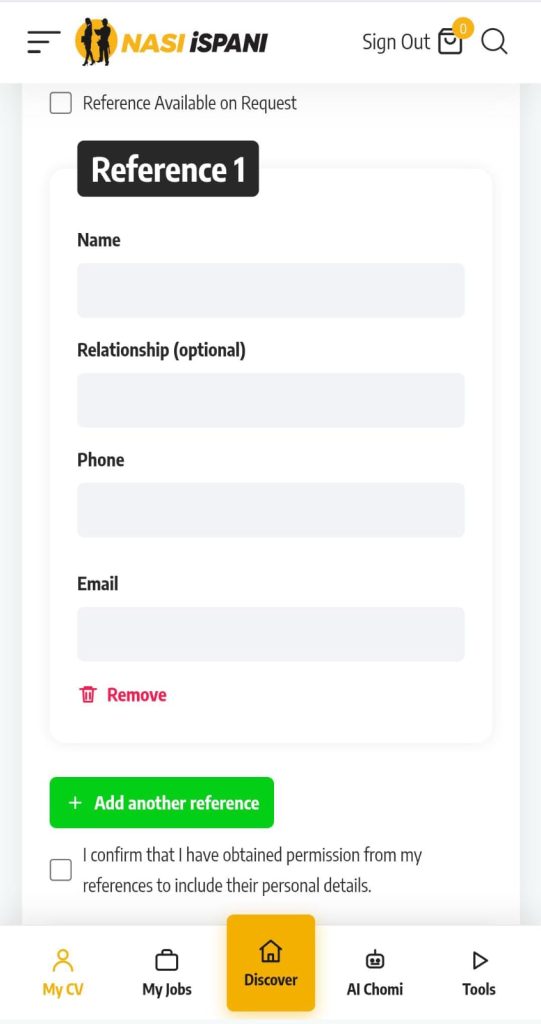
References (Required for Credibility):
- Add at least two professional references:
- Former employer
- Teacher or lecturer
- Community leader
- Anyone who can vouch for your character and reliability
- Include:
- Name
- Relationship to you
- Contact number
- Tip: Always inform your references in advance that an employer may contact them. A caught-off-guard reference can negatively impact your application.
Step 8: Preview and Edit Your CV
Before downloading, review your completed CV carefully. Check for:
- Spelling mistakes — read every word slowly, or ask someone you trust to proofread it
- Correct contact details — one wrong digit in your phone number means missed calls
- Consistent formatting — make sure dates, bullet points, and section headers are uniform
- Gaps or missing information — fill in anything that looks incomplete
Tip: Read your CV out loud. You will catch mistakes faster when you hear the words rather than just seeing them.
Step 9: Download or Share Your CV
Once you are happy with your CV, you can:
- Download it as a PDF — a PDF preserves your formatting on any device and is the most professional format to send to employers
- Share it digitally — send it via WhatsApp, email, or any messaging platform directly from your phone
Tip: Always save your CV to your phone’s storage or Google Drive so you have it ready whenever an opportunity comes up.
Why Use Nasi iSPani’s CV Maker Instead of Doing It Manually?
- Fully mobile-friendly — no laptop required.
- Professional templates — no design skills needed.
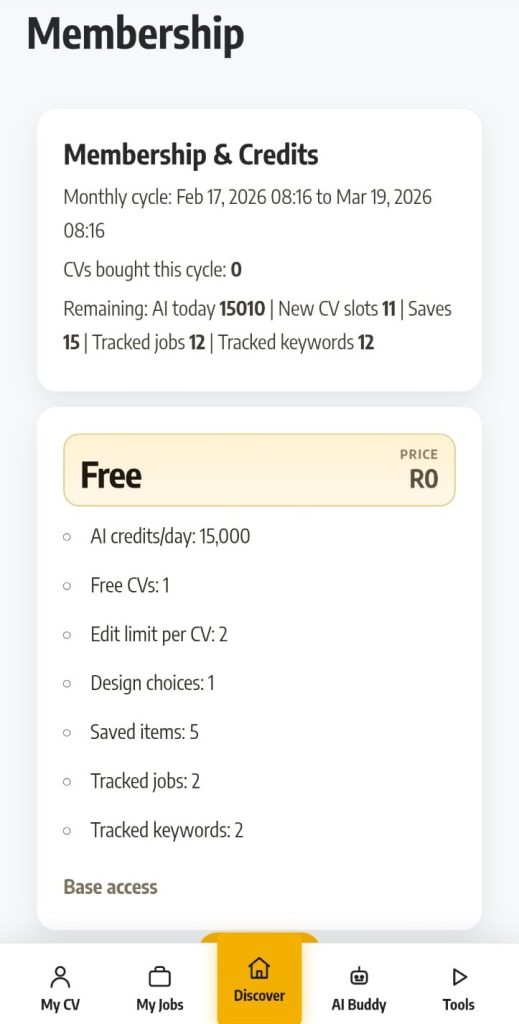
- Free — 1 CV slot and template at no cost.
- Easy to update — add new skills/experience anytime.
- Saves time — generate a complete CV in under 30 minutes.
- Tailored for South African job seekers — local market relevance.
Professional CV Tips
- Keep it short: 1–2 pages maximum. Entry-level or first-time job seekers: one page is ideal.
- Use clear, simple language: Avoid jargon, slang, or complex words. Clarity impresses employers.
- Tailor your CV to each job: Highlight the skills and experience the employer is seeking.
- Use bullet points, not paragraphs: Makes information easy to scan.
- Include measurable achievements: Instead of “I helped customers,” write “Assisted 50 customers per day in a busy retail environment.”
- Proofread: Spelling errors suggest carelessness.
- Professional email address: Use a credible, name-based email (e.g., firstname.lastname@gmail.com).
Common CV Mistakes to Avoid
- Incorrect contact details: Ensure phone and email are accurate.
- Long blocks of text: Use bullet points and concise descriptions.
- Unprofessional email addresses: Avoid nicknames or casual handles.
- Irrelevant personal information: Don’t include religion, race, marital status, or a photo unless requested.
- Exaggerating or lying: Employers verify details — honesty is critical.
- Outdated formatting: Avoid bright colors, decorative borders, or unusual fonts that confuse ATS systems.
- Not updating your CV: Add new skills, qualifications, or experiences as soon as you earn them.
Frequently Asked Questions (FAQs)
- How long should my CV be?
1–2 pages; one page for entry-level/first-time job seekers. - Can I build a CV without work experience?
Yes. Include volunteer work, school achievements, learnerships, and personal projects. - Is the CV maker free?
Yes. Free plan includes 1 CV slot and 1 template. Extra templates/slots require a R49 add-on. - Can I download my CV as a PDF?
Yes. PDF preserves formatting and is most professional for employers. - Can I edit my CV after downloading?
Yes. Log in → My CV → Edit → regenerate and download the updated version. - Can I use Nasi iSPani CV to apply for jobs on the platform?
Yes. Profiles and CVs are linked for easy application to listed opportunities.
Log into your Nasi iSPani dashboard now and build your CV today — for free.